Chicago residents can stream movies, borrow e-books, learn a language and get free homework help—without paying for a single subscription. All of it is available around the clock through the Chicago Public Library's digital services, and the only key you need is a free CPL library card.
Unlock Digital Learning and Entertainment with Your CPL Card
The library's digital shelf goes well beyond books. CPL offers what the City of Chicago's own description of the library calls 24/7 access to e-books, e-audiobooks, digital magazines, streaming music and video, plus online resources for researching Chicago history, digging through newspaper archives and finding homework help.
That breadth matters because it replaces several paid subscriptions at once. A streaming movie night, a new audiobook for the commute, a current issue of a favorite magazine and a professional skills course can all come from the same card. The trick is knowing which service handles which job, because the library spreads its digital collection across a handful of separate platforms, each with its own app or website.
CPL Digital Resources at a Glance
The fastest way to choose a service is to match what you want—movies, e-books, magazines, tutoring—to the platform that provides it. The table below sorts CPL's major digital services by their primary content types and the feature that distinguishes each one from the rest.
| Platform | Content Types | Key Feature |
|---|---|---|
| OverDrive / Libby | e-books, audiobooks, digital magazines (adults, teens, kids; titles also in Spanish, Chinese, Russian, Korean and Polish) | Primary source for digital books and magazines |
| Hoopla | Audiobooks, music, video, e-books | Broad media range including streaming options |
| Flipster | Digital magazines (over 25 titles) | Dedicated magazine access, including The Atlantic, Forbes and Time |
| LinkedIn Learning | Online courses | Professional development and technology skills for adults |
| Mango Languages | Language learning | Dedicated language service for adults, kids, teens and tweens |
| Brainfuse | Tutoring, homework help | Live academic support, including resume feedback within 24 hours |
The practical takeaway from this comparison: Hoopla and Libby overlap on books, but they behave differently. Libby is where CPL directs readers who want the variety of e-books, audiobooks and magazines, while Hoopla's appeal is its everything-in-one range—audiobooks, music, movies, TV, comics and graphic novels. Flipster covers magazines specifically, and the learning platforms each serve a distinct audience.
Step-by-Step: Accessing CPL's Digital World
Everything starts with the card. CPL lets you apply online through its website, which notes that you can sign up for a free card and discover all the ways you can use it. If you already have a card, the number printed on it is your login credential across the platforms.
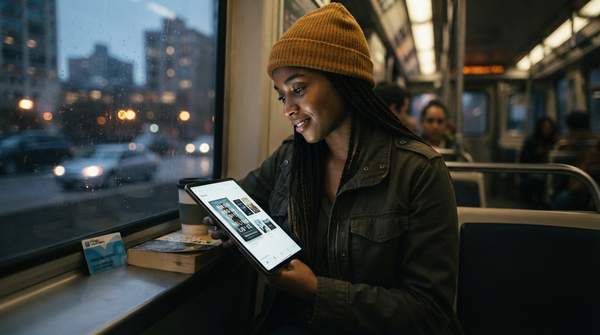
For Libby, the library describes a simple three-step process: download the Libby app, select Chicago Public Library as your library, and sign in with your library card number. Once you're in, you can browse and borrow e-books, audiobooks and comics.
Hoopla takes the same card number but a different first move: you create a Hoopla account using your CPL card. After that, its content—audiobooks, music, movies, TV and e-books—is available to stream or download.
One practical distinction worth planning around: a CPL post introducing teens to these services notes that Hoopla Digital is available 24/7 without wait times, so you can start reading comics right away. Libby, by contrast, works like a physical shelf— popular titles may require waiting. If you want something to watch or read immediately, check Hoopla first.
Expand Your Mind: Learning and Professional Development Resources
The library's digital collection includes a serious education wing. LinkedIn Learning offers online courses for adults focused on technology and professional development—useful for anyone building job skills or learning software.
For languages, CPL provides more than one path. Mango Languages serves adults, kids, teens and tweens, while Cell-Ed supports adults learning English as a second language. Little Pim rounds out the options for young children.
Students get direct human help. Brainfuse provides free online tutoring and homework help from expert tutors in math, science, English, social studies and more, from 11 AM to 11 PM daily—including support for ACT and SAT prep. Job seekers can use it too: CPL says you can get personal feedback on your resume within 24 hours from an online writing coach.
The library also points students toward Khan Academy for additional videos and practice exercises, a free resource that doesn't even require the card.
Start Your Digital Adventure Today
Chicago residents can immediately begin accessing a wide array of free digital resources for learning and entertainment by applying for a Chicago Public Library card online and following the platform-specific access instructions above—Libby for e-books and magazines, Hoopla for instant streaming media, Flipster for current magazine issues, and LinkedIn Learning, Mango Languages or Brainfuse for skills and study support.
Your measurable first milestone is simple: a successful login to any CPL digital platform using a newly acquired or existing library card. Once that works, the full catalog—books, movies, music, courses and live tutors—opens on the same credential. This guide covers the major platforms for entertainment and learning; it is not an exhaustive directory of all CPL databases, and device-specific technical support is beyond its scope. For anything not covered here, the library's own online resources pages list additional services by format and subject.
Sources
- Chicago Public Library
- Online Resources — Chipublib
- eBooks & Magazines — Chipublib
- Digital Adventures: Chicago Public Library Resources for Teens — Chipublib
- eBook — Chipublib